Minecraft EDU quit unexpectedly. Will not load on MacBook

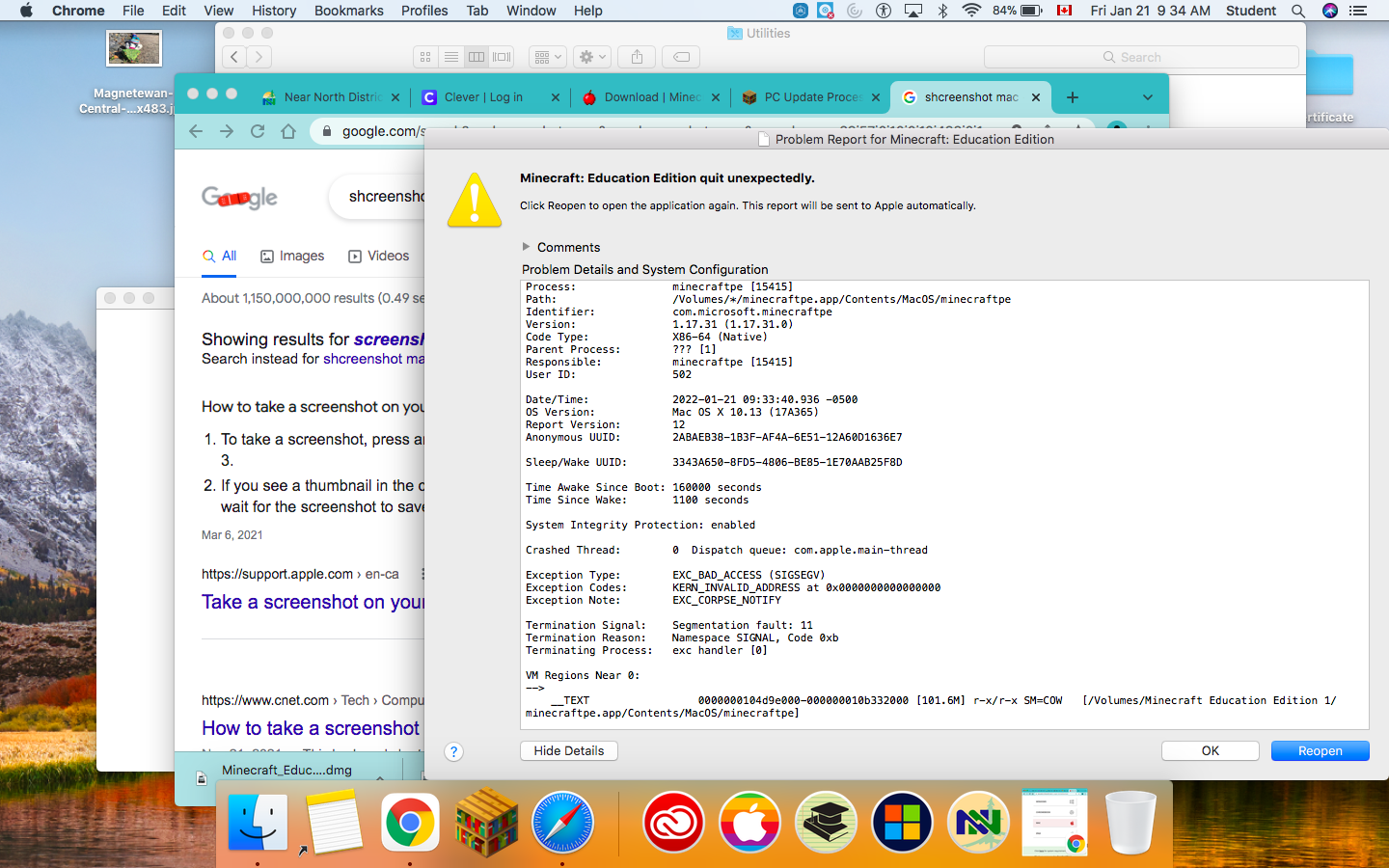
This is a screenshot of the issue.
-

So, I see you are running Mac OS 10.13 High Sierra, correct? We have seen this issue if your OS is not updated. Let me know if you are able to and if the device is too old to, we may have to use an older client version by creating a ticket with the support team. Let me know your findings.
0 -

Just a question,
I try to update my Mac High Sierra 10.13 to Big Sur 11, but it responds this:
This version of macOS 11.7.10 cannot be installed on this computer.
0 -

Hey there,
It's likely your Mac is incompatible with new MacOS versions. Apple list all supported Mac's for Big Sur here: macOS Big Sur - Technical Specifications - Apple Support
Let us know if you have any additional questions, or concerns!
Thank you!0 -
Thanks!
Also, I have another Mac, and I want to know if i'll be able to get the latest version of Minecraft Education, and if it is possible to open it up on Big Sur 11.
0 -

Hey there!
Big Sur 11 is no longer supported by Minecraft Education. As per: https://edusupport.minecraft.net/hc/en-us/articles/360047556591-System-Requirements You will need to upgrade to at least Monterey 12 to play Minecraft Education.
I hope that helps!
0
Please sign in to leave a comment.
Comments
5 comments