Articles in this section
MakeCode - Beta Testing

How to use the latest unreleased version of MakeCode
Note! Your project work with MakeCode Beta is not to be relied on. Please use with caution and backup your work frequently in another folder.
Here is how you can access the latest features being developed by MakeCode:
1. Open Minecraft Education (latest version)
2. Open MakeCode in a Minecraft world
3. Click on the gear icon
4. Click on About
5. Click on the Experiments button
6. Click on "Beta Editor"
7. Create a project with MakeCode.
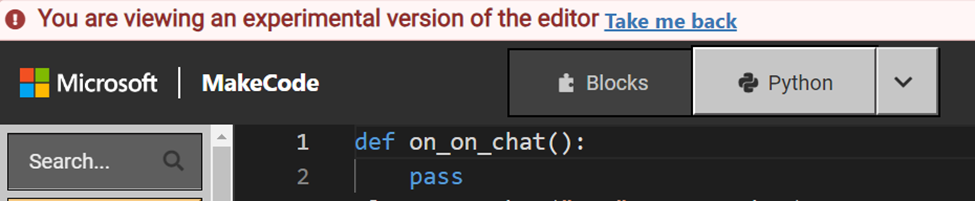
You should be able to see you are in Beta in MakeCode when this bar is visible.
"You are viewing an experimental version of the editor"
How to revert to the latest released version of MakeCode
To go back to the latest released version, click "Take me back"
Each time you open a new MakeCode session, you will need to re-load the Beta. Check for the banner to know you are in the mode you expect.