cant sign in

cant sign in and cant do demo
-
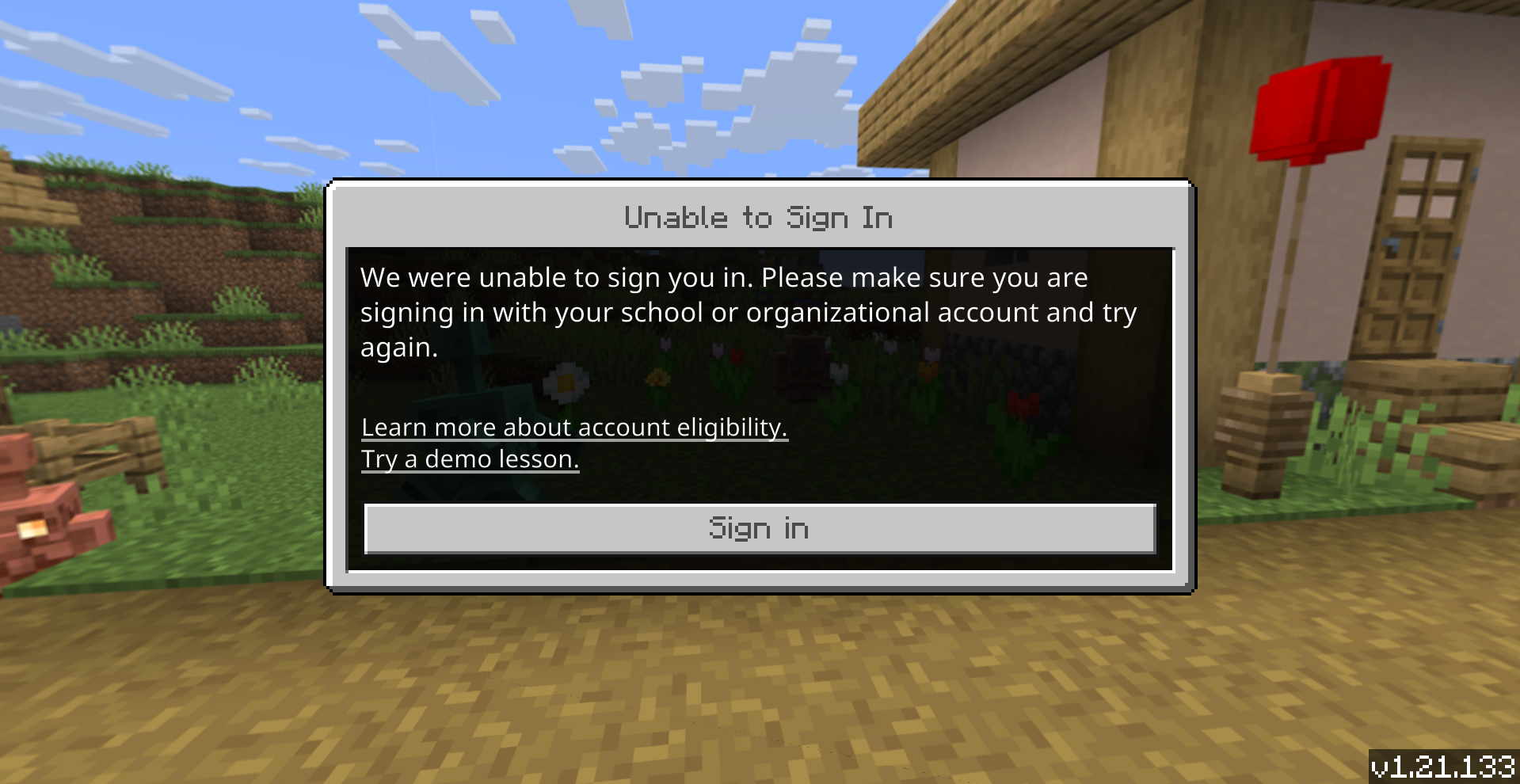
this is the error
 0
0 -

Hey there!
This error can often be caused by your date and time being off.
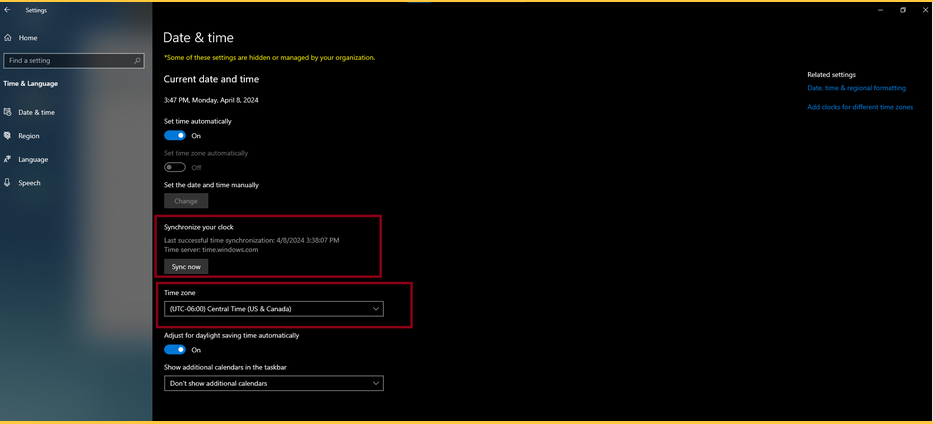
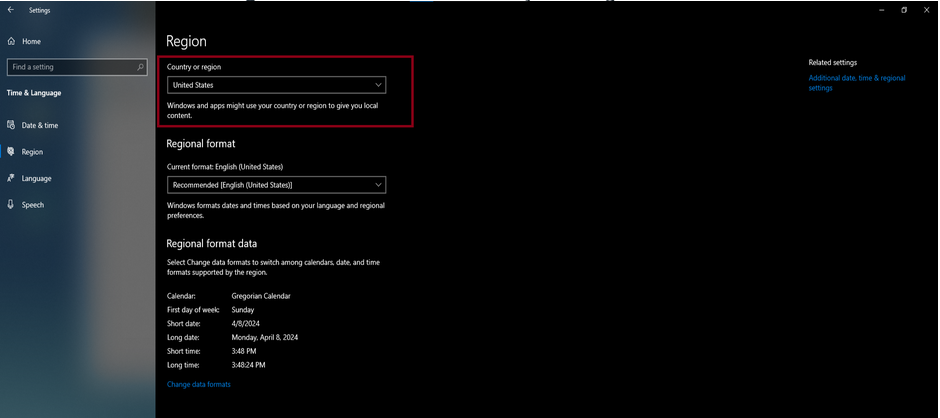
Could you confirm under Windows Settings > Time and Language > Date and Time that your time zone and region are right, and hit the "Sync Now" button?
See the screenshots below for both Windows 10 and 11
Windows 11:
1. From Windows Settings on the sidebar select "Time and Language."2. Select "Date and Time"
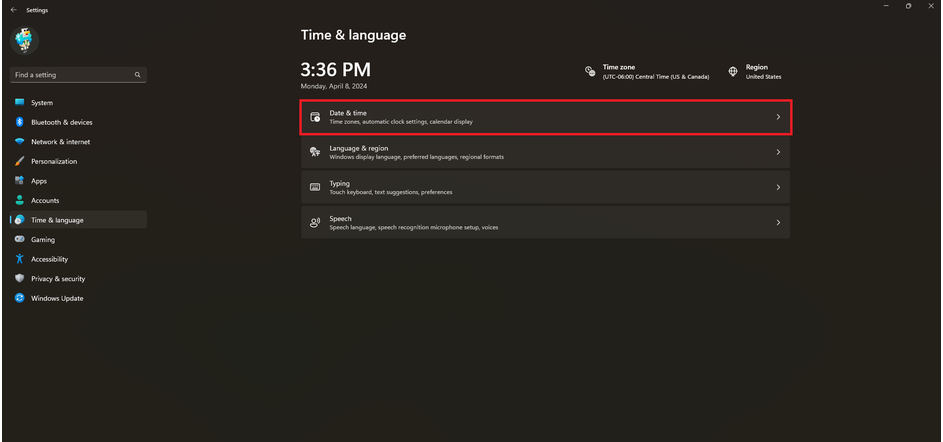
3. Ensure Timezone and Region look correct.
4. Select the "Sync Now" button to make windows sync the current time.
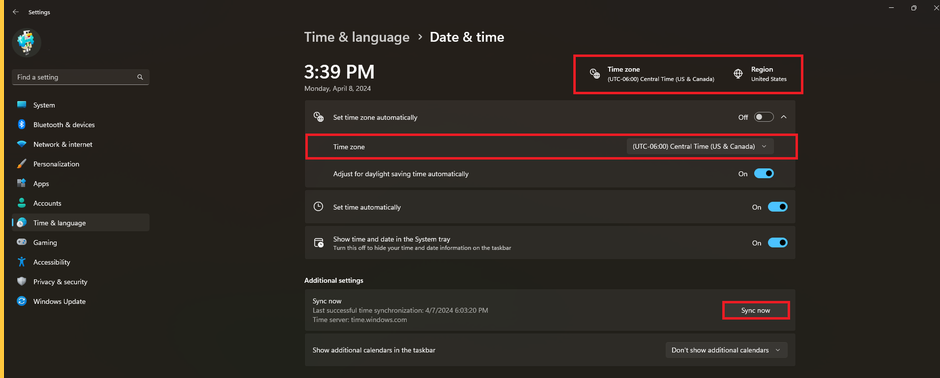
5. Open Minecraft Education. See if you can sign in again.
Windows 10:
1. Open Windows Settings and select Date and Time on the sidebar
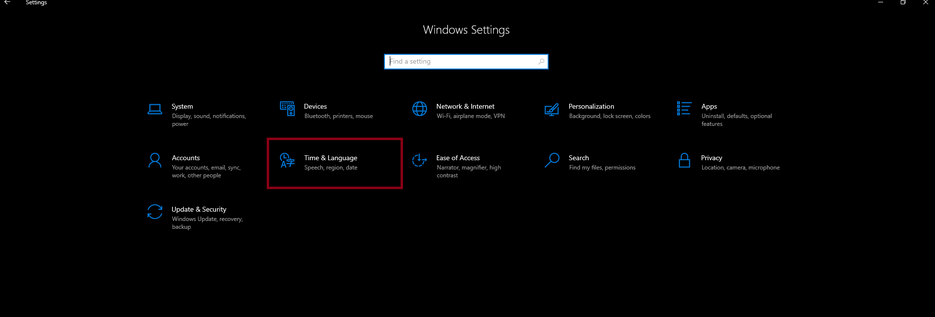
2. Ensure that Time Zone is correct and select Sync Now
3. On the sidebar select Region and confirm that "Country and Region" is correct.
Let us know if these steps work for you!
Thanks,0 -
thank you so much it worked
0 -
but i cant join my worlds
0 -
they disappeared
0 -
Sure!
Check to see if your worlds are still here: https://edusupport.minecraft.net/hc/en-us/articles/4404785703316-Location-of-World-Files
0 -
they just came back
0 -
but after i did the sync thing it shows the wrong time
0 -
Hey there!
Gotcha, make sure in that one step where it shows "Central Time US and Canada", you replace that with the timezone that you are in.0
Please sign in to leave a comment.
Comments
9 comments