Sign In error - JavaScript required message on Windows 11 25H2

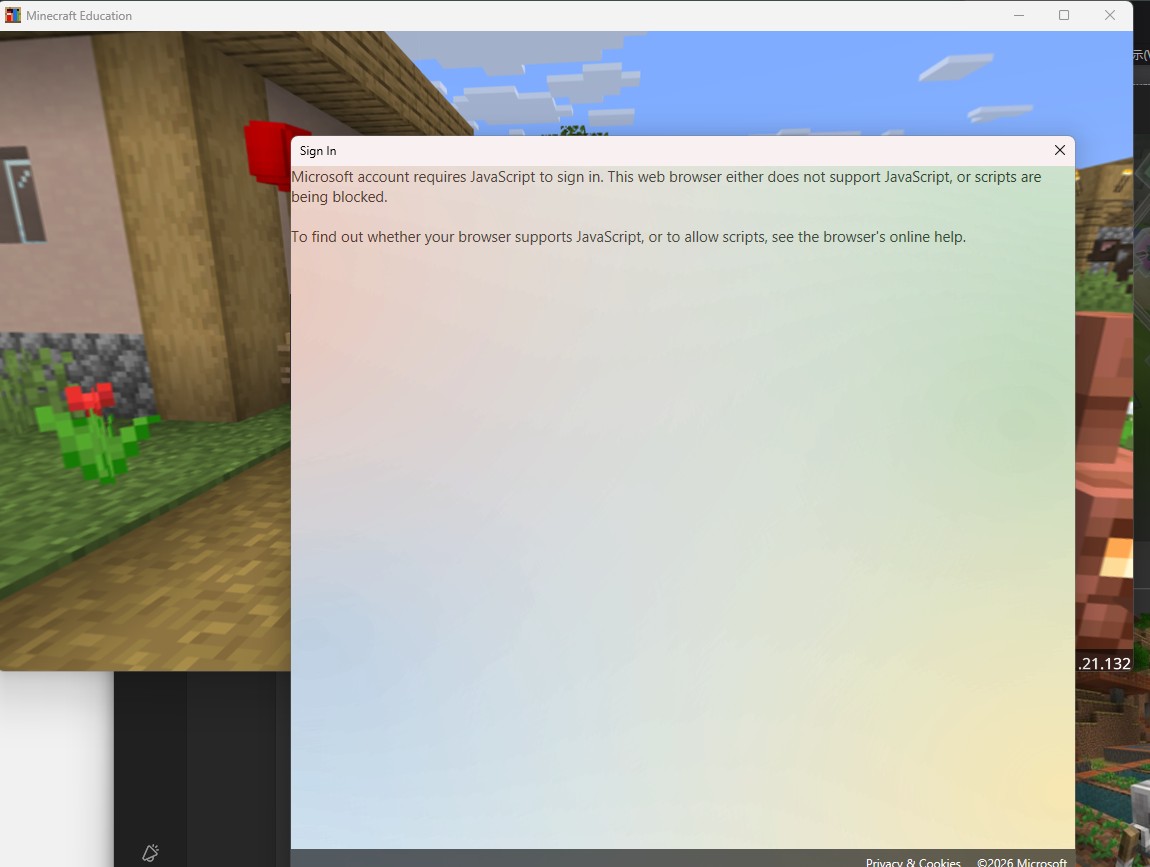
When I try to sign in to Minecraft Education Edition, a dialog appears saying "Microsoft account requires JavaScript to sign in. This web browser either does not support JavaScript, or scripts are being blocked."
Environment:
- OS: Windows 11 25H2
- App: Minecraft Education Edition (latest version)
- WebView2 Runtime: Already installed
What I tried:
- Checked JavaScript settings in Edge (enabled)
- Tried reinstalling WebView2 Runtime (already installed)
- Uninstalled and reinstalled Minecraft Education Edition
- Restarted PC
None of these worked. Please help.
-

Hey there,
Sorry to hear you are running into some issues signing into Minecraft Education. Just had a few questions to help us support you further:
1 - Does this issue replicate when connected to a different Wifi network?
2 - Do you know others running into issues?
3 - Does Minecraft Education work as intended on a different device?
4 - Can you please provide a screenshot of the error? (No personal info in screenshot please)
0 -
Hello,
Thank you for your response. Here are the answers to your questions:
1. I have not tested on a different WiFi network yet.
2. I do not know of others with the same issue.
3. I have not tested on a different device.
4. Please see the attached screenshot of the error.
 1
1 -

I have this error too please help us
0 -
Hey there!
Sorry to hear you are running into some issues with this you two. Please try the below steps
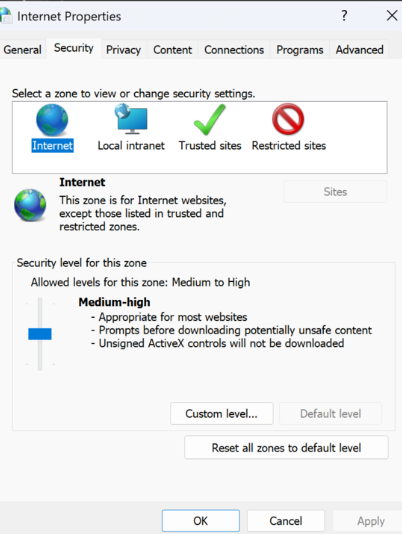
- Press Windows Key + R to open the "Run" box
- Type in "inetcpl.cpl" and click Ok
- In the window that pops up, go to the "Security" Tab.
- Slide the "Security Level for this zone" slider to "Medium-High".
- Select Apply
0
Please sign in to leave a comment.
Comments
4 comments