Classroom Mode for Minecraftが、「エラーが発生しました」と表示され、使用できない。

v1.21.132をインストールしたあとから、
Classroom Mode for Minecraft が使用できない状況になっています。
【具体的な状況】
➀Minecraftでマルチ用のワールドを立ち上げる。
➁Classroom Mode for Minecraft もログインする。
➂「/connect」コマンドをコピーして、Minecraftで実行する
➃「サーバーへの接続が確立しました」が表示されて、2秒後くらいに下記のエラー画面が表示される。
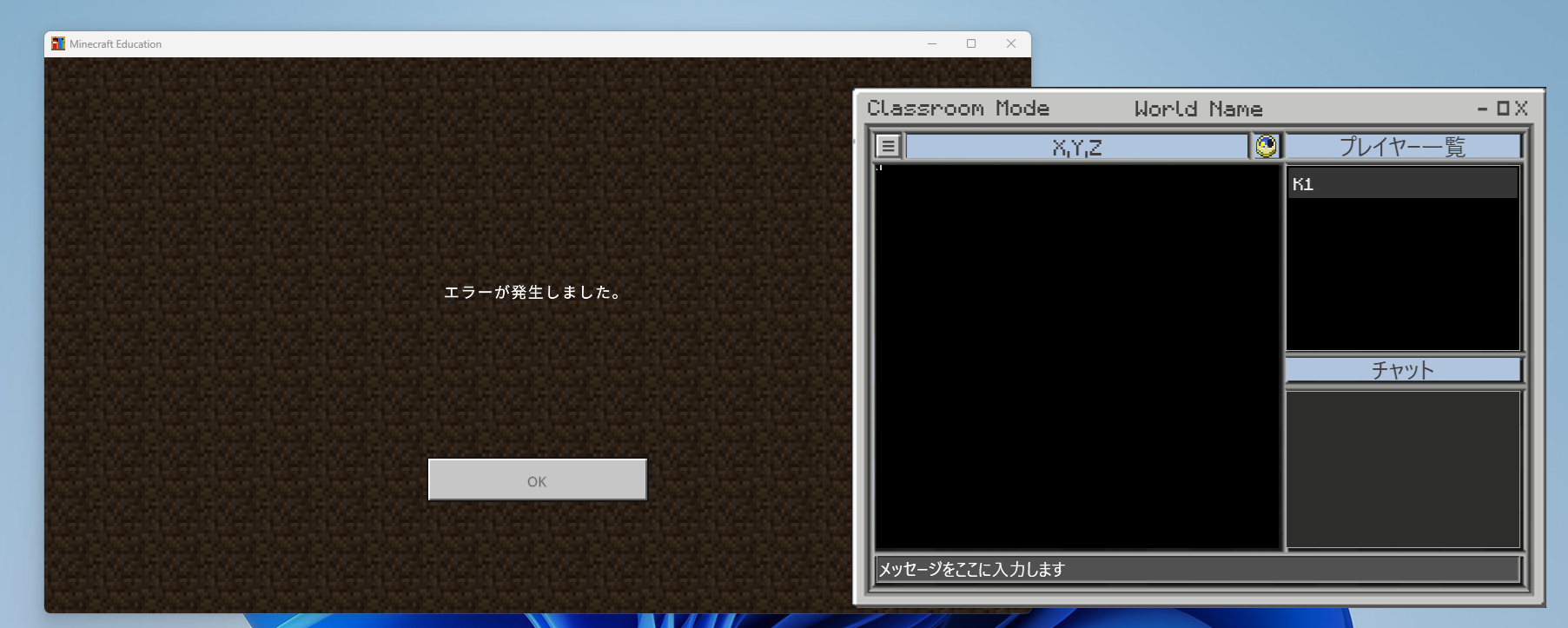
いまも、この状況は変わりません。
これによって、マルチプレイによる授業に支障が出ています。
早い段階での修正をお願いしたいです。
【環境】
CPU:Intel Core i5-1135G7
GPU:Intel Iris Xe Graphics
メモリ:8GB
-
さらに、接続を試みたところ、このような表示が出てきました。
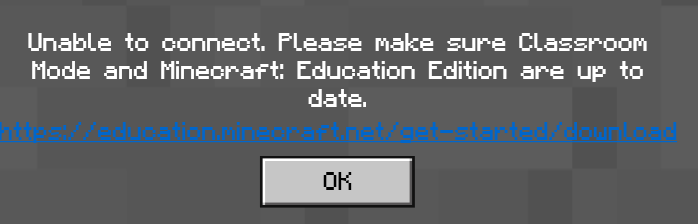
それぞれのアプリケーションのバージョンは下記のとおりです。
MineCraftEducation:v1.21.132
Classroom Mode:v1.83
おそらく、現段階の最新バージョンに統一できておりますが、運用することが出来ません。授業に大きな影響が出ておりますので、早急な対応をお願いしたいです。よろしくお願いいたします。
0 -

Hey there!
So sorry Kohei that your post was somehow missed for so long, and that you are having issues with Classroom Mode since the latest update! There is a fix for this that should release in the next hotfix. Unfortunately there is no ETA for this at this time. Sorry for the inconvenience and thanks for the patience on this.
0 -
Mr Danny
対応に感謝します。
バグが確認されて、一安心しました・・・
また、バグが修正されましたら、このコミュニティで教えていただけますでしょうか?0 -

Hey Kohei,
We can do our best to try and update this thread, but we might miss it amongst the places we update. We recommend keeping an eye on the Minecraft Education Change Log where we document most major bug fixes, and new features.0 -
Mr Kaleb
対応感謝します!
定期的に、確認しようと思います!Thank you very much!!!
もう1つ質問です!
「Classroom Mode」の更新に関しても、「Support Center」の「最新情報」の欄で表示されるのでしょうか?
もし、違うのであれば、どこを確認すればよいか?教えてもらえると嬉しいです!0 -
Hey Kohei,
Generally yes! Major new features, or announcements, tend to go there as well.0
Please sign in to leave a comment.
Comments
6 comments