Error on Mac with Minecraft Education 1.21.03

Hello,
My son's teacher asked him to install the latest version of Minecraft Education, so I uninstalled version 1.20 and then installed 1.21.03, but there is an error message:
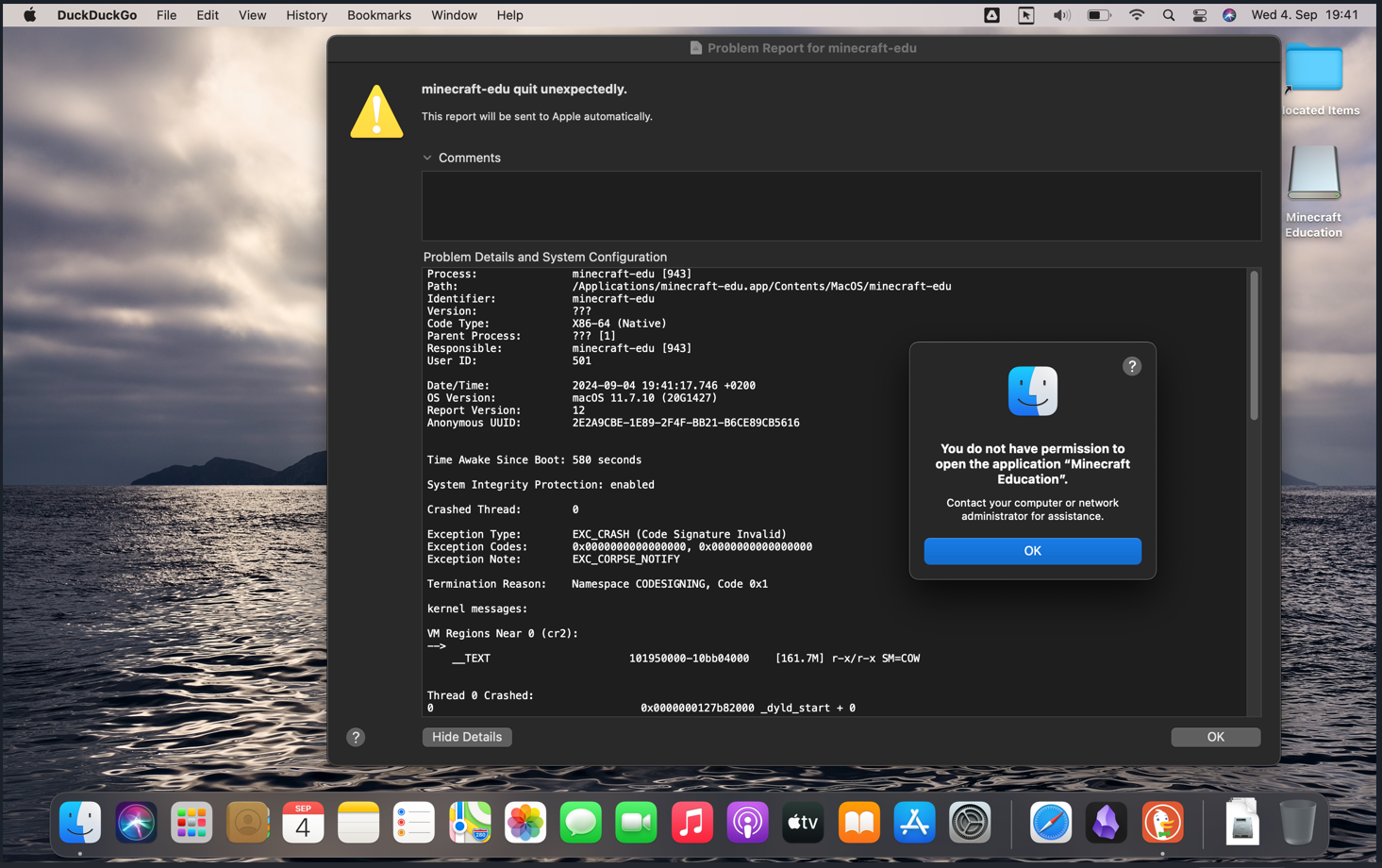
You do not have permission to open the application “Minecraft Education”. Contact your computer or network administrator for assistance.
There is no administrator on this computer, only me. I read in your Support Center that this is a common error for Mac users. What can I do before my child's next lesson?
Thank you.
Roberto Castillo
-

Hey there,
Sorry to hear you are running into some issues launching Minecraft Education.
Is this a school issued device or a personal device? You may need to reach out to your sons school's IT admin for further assistance with this. They will understand your son's digital environment more.
0 -
Hello Danny, this is my personal laptop. There is no administrator on this computer.
I had installed previous version 1.20 and had no problem but my son's instructor asked for the update installation and after installing 1.21.03 on my personal Mac laptop I get the following message:
"You do not have permission to open the application “Minecraft Education”. Contact your computer or network administrator for assistance."
Can you please help me with it?
0 -
Hello Danny, I have an update. I deinstalled 1.21.03 and installed 1.21.05 but I get the same error message. Here is a screen shot I took from the message.
 0
0
Please sign in to leave a comment.
Comments
3 comments