how to fix this

i reinstall mc ed to play with my friend and this show up i ben useing chat gpt to help me fix this and still it show up like this , if anyone know how to fix dis help me pls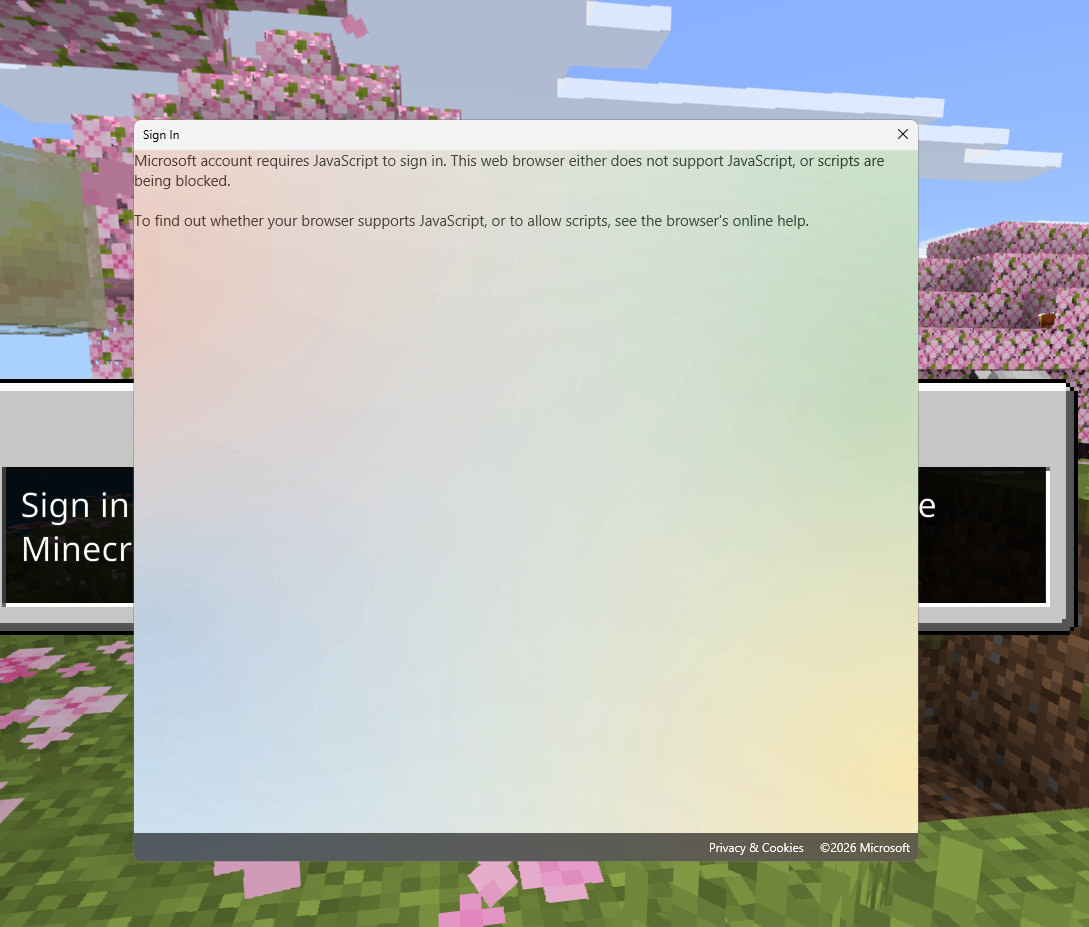
0
-

Hey Jayden Kennard,
You may need to enable Javascript to run under Internet Options in Control Panel. Here's the steps to check this:- Press Windows Key + R to open the "Run" box
- Type in "inetcpl.cpl" and click Ok
- In the window that pops up, go to the "Security" Tab.
- Slide the "Security Level for this zone" slider to "Medium-High". (Alternatively, check to ensure the options under "Active Scripting" are enabled).
This issue can also be caused by Web Filters, Parental Controls, Antivirus, etc. If this is a school or company managed device, you may need to work with your schools IT Administration to look into the issue further.
Let us know if you have any additional questions, or concerns.
Thank you!0
Please sign in to leave a comment.
Comments
1 comment