We cant connect you HTTPS 400 looks like we cant connect to one of our services right now. Please try again later,or contact support if issue persists

I cant even log into anything of Microsoft I had to use incognito to log in please help me I don't have two Minecrafts and I also don't have admin permissions this is not a school this is my personal computer i forgot admin password.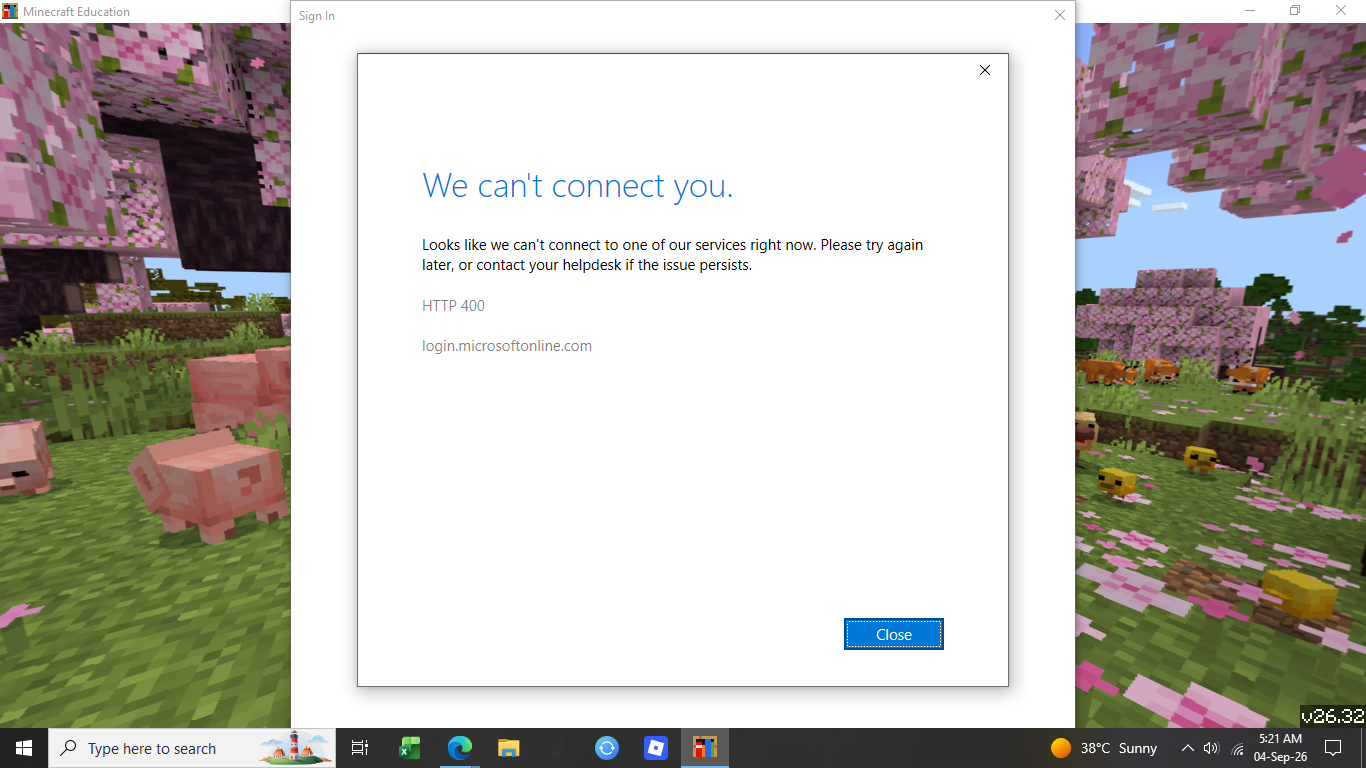
-

Hey there,
Typically error 400 in the Microsoft Sign In screen indicated that we were unable to reach Microsoft's Sign In services. This can be caused by a VPN, Filtering Service, Parental Controls, or other types of firewalls. It can also be caused by a corrupt cached account.
If you're using any kind of Parental Controls, or another type of network firewall, try temporarily disabling it to see if this clears up the issue. This would point to an issue with that product. If so, you'll need to be sure your device can access all of the URL's used by Minecraft Education that can be found here: https://edusupport.minecraft.net/hc/en-us/articles/360047118992-FAQ-IT-Admin-Guide#:~:text=List%20of%20all%20URLs%20used%20by%20Minecraft%20Education
If this doesn't work, you can also try removing your account from Windows and signing back in. You can do this by:
1. Go to Windows Settings
2. Go to Accounts3. Go to Emails & Accounts
4. If your Minecraft Education username is listed, select the account, and then click "remove".
5. Also check under Access Work or School and remove the connection if it's listed here.
6. Then relaunch Minecraft and try again.
If this doesn't work, you should also attempt to uninstall and reinstall Minecraft Education if you can. Be sure to back up your worlds using the manual steps here: Location of World Files – Minecraft Education
0 -
None of what you said unfortunately worked ive tried reinstalling many times and also i dont have them listed
0 -
Hey Aithan,
Just to verify, is the account you're attempting to sign in with managed by your school? We have seen this issue be caused by federation issues between your school's identity systems, and Microsoft Entra. It may be best to try and involve your schools IT Team, and have them reach out to us directly in a ticket if required.
Let us know if you have any additional questions, or concerns.
Thank you!0
Please sign in to leave a comment.
Comments
3 comments